Upload Strings
Add your translatable strings to Wordiy. Navigate to your project and open the Keys page to get started.
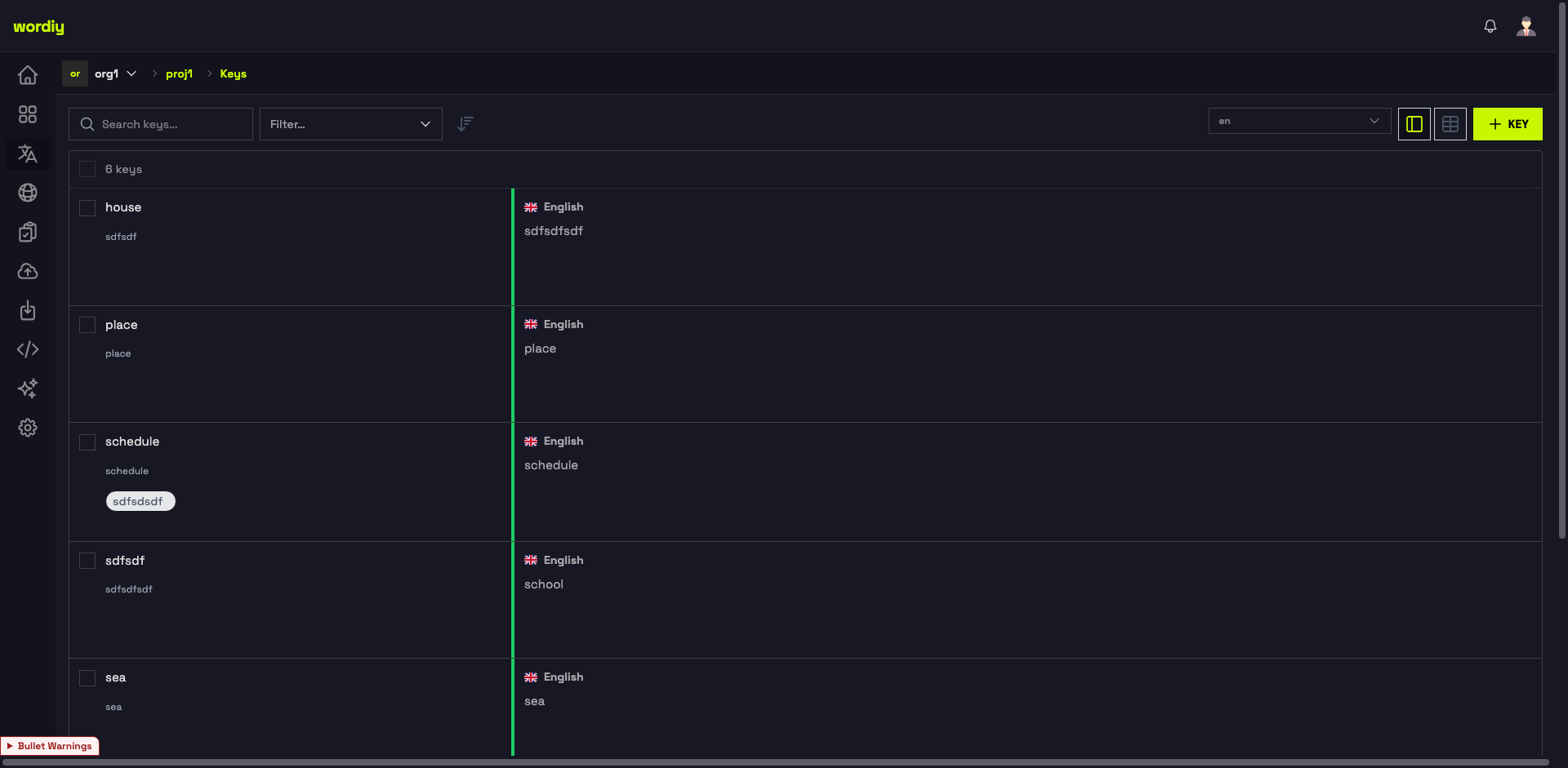
Upload Methods
1. File Upload
Import your existing translation files directly into Wordiy.
- Go to your project
- Click the Import icon in the left sidebar
- Drop your file or click Select File to choose from your computer
- Set the Locale (optional) and Import Mode
- Click Import
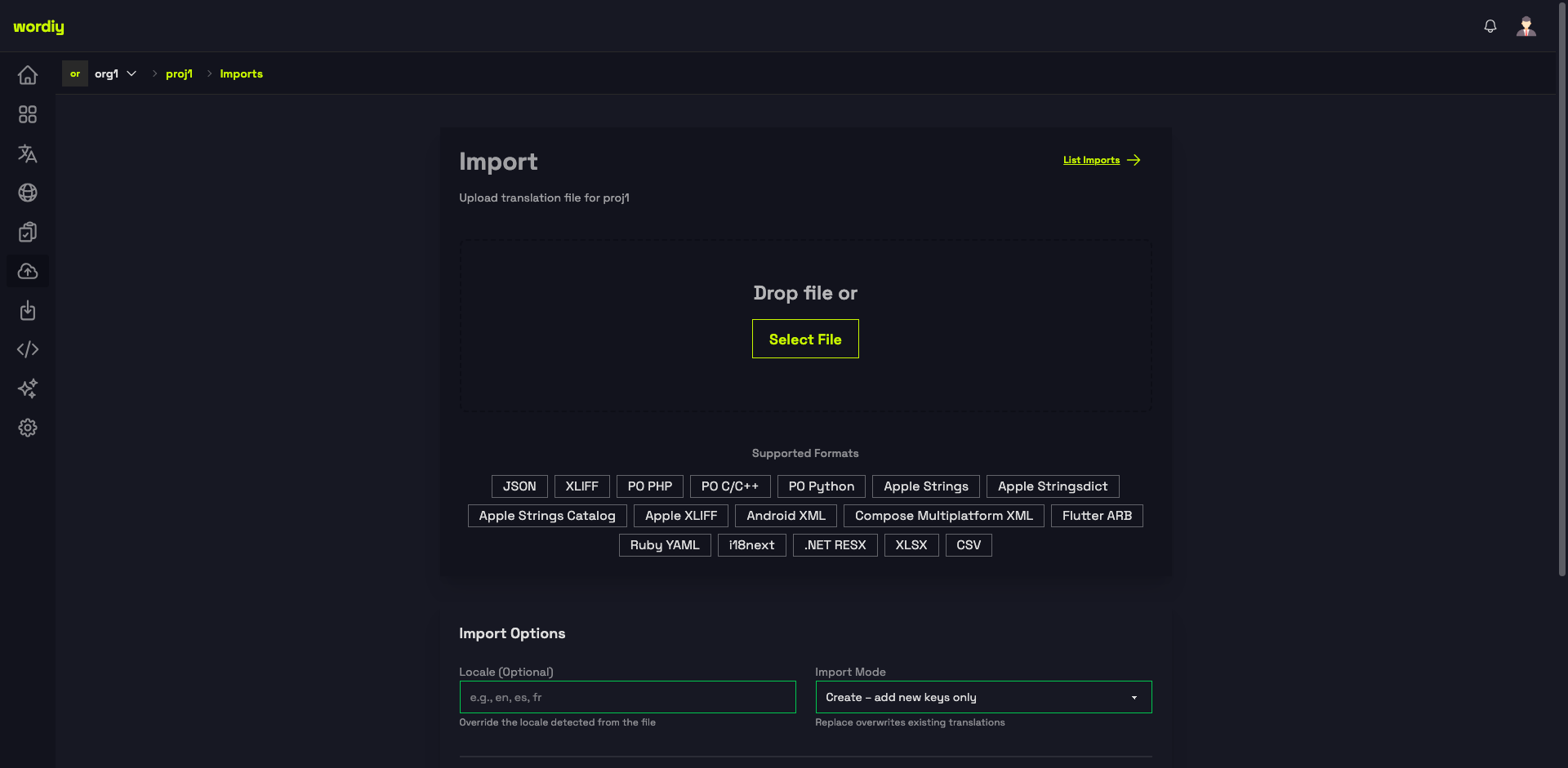
Supported formats:
- JSON
- XLIFF / Apple XLIFF
- PO PHP / PO C/C++ / PO Python
- Apple Strings / Apple Stringsdict / Apple Strings Catalog
- Android XML
- Compose Multiplatform XML
- Flutter ARB
- Ruby YAML
- i18next
- .NET RESX
- XLSX / CSV
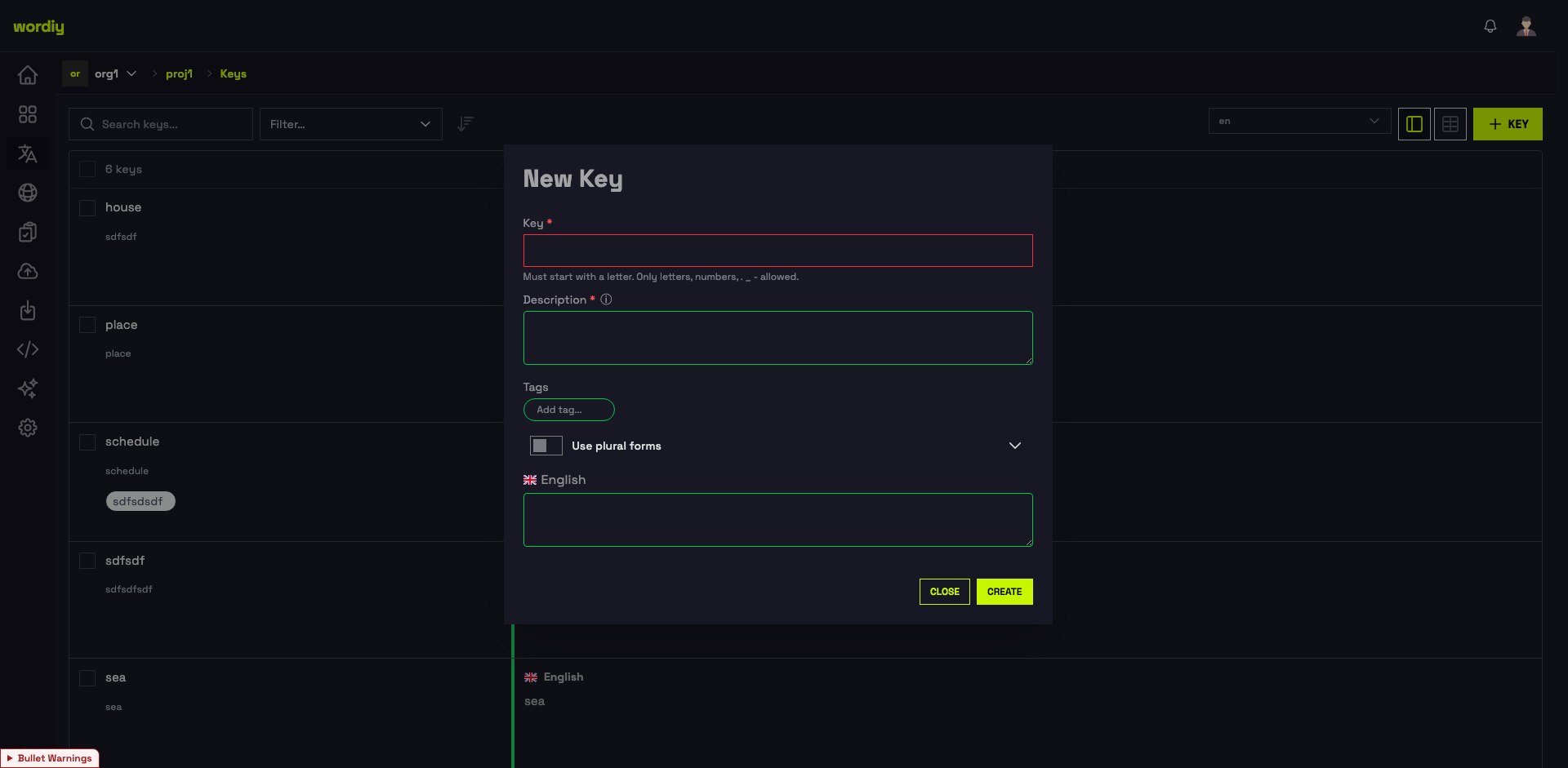
2. Manual Entry
Add individual strings directly from the Keys page.
- Click the + KEY button in the top right
- Enter the Key name (letters, numbers,
.,_,-allowed) - Add an optional Description and Tags
- Enter the base language translation
- Click Create
3. API Integration
Use the REST API to automatically sync strings from your codebase.
curl -X POST https://app.wordiy.dev/v2/projects/{project_id}/keys \
  -H "Authorization: Bearer YOUR_API_KEY" \
  -H "Content-Type: application/json" \
  -d '{"key": {"name": "welcome_message", "translations_attributes": [{"language_id": 1, "text": "Welcome"}]}}'
See the API Reference for full documentation.
Format Examples
JSON
{
  "welcome_message": "Welcome to our app",
  "button_submit": "Submit",
  "error_404": "Page not found"
}
Ruby YAML
en:
  welcome_message: Welcome to our app
  button_submit: Submit
  error_404: Page not found
CSV
key,value
welcome_message,Welcome to our app
button_submit,Submit
error_404,Page not found