إدارة اللغات
حافظ على تحديث لغات مشروعك.
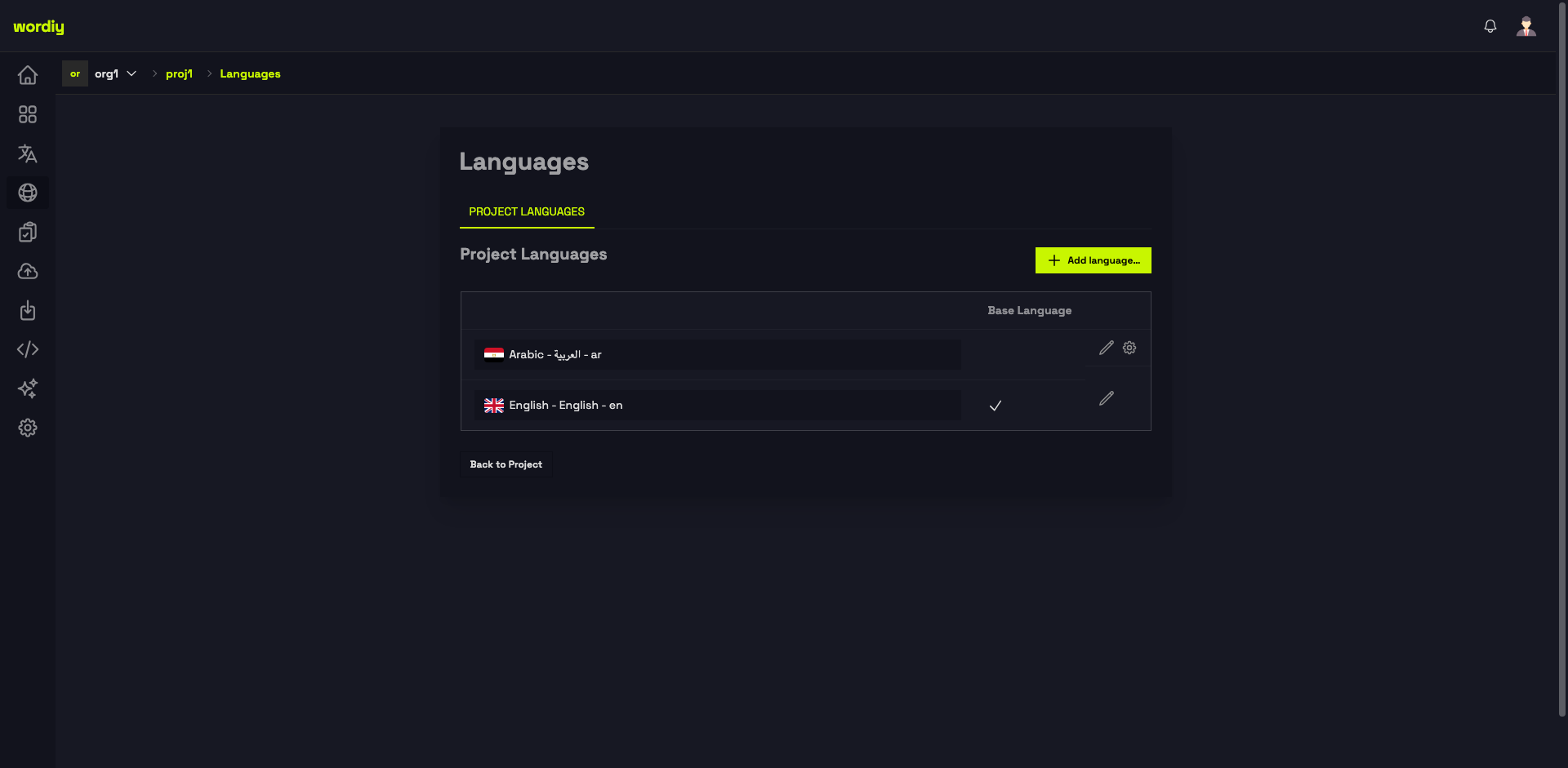
إضافة لغة
- انتقل إلى صفحة اللغات في مشروعك
- انقر + إضافة لغة...
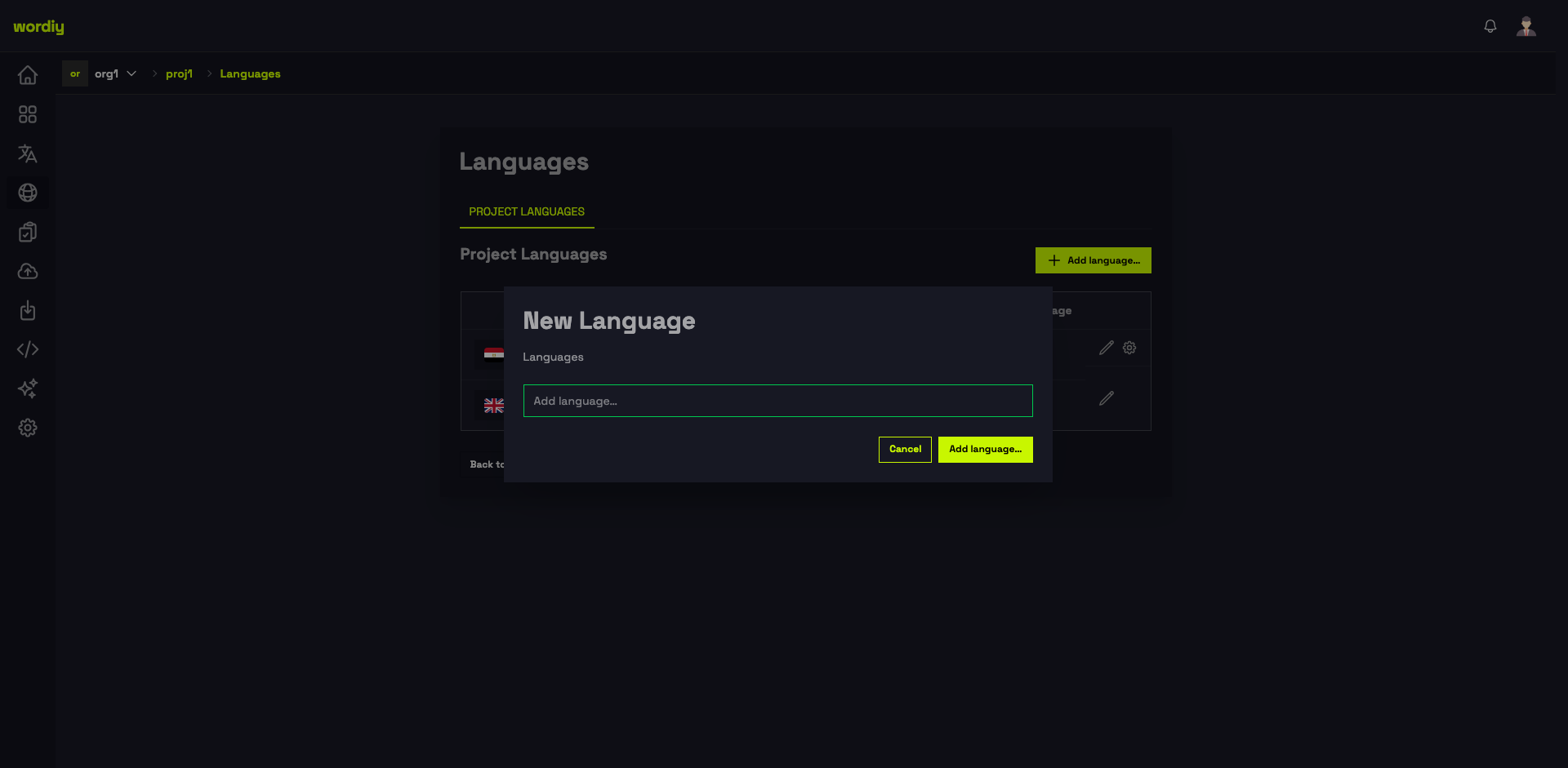
- اكتب للبحث واختر لغة من القائمة
- انقر إضافة لغة
إعدادات اللغة
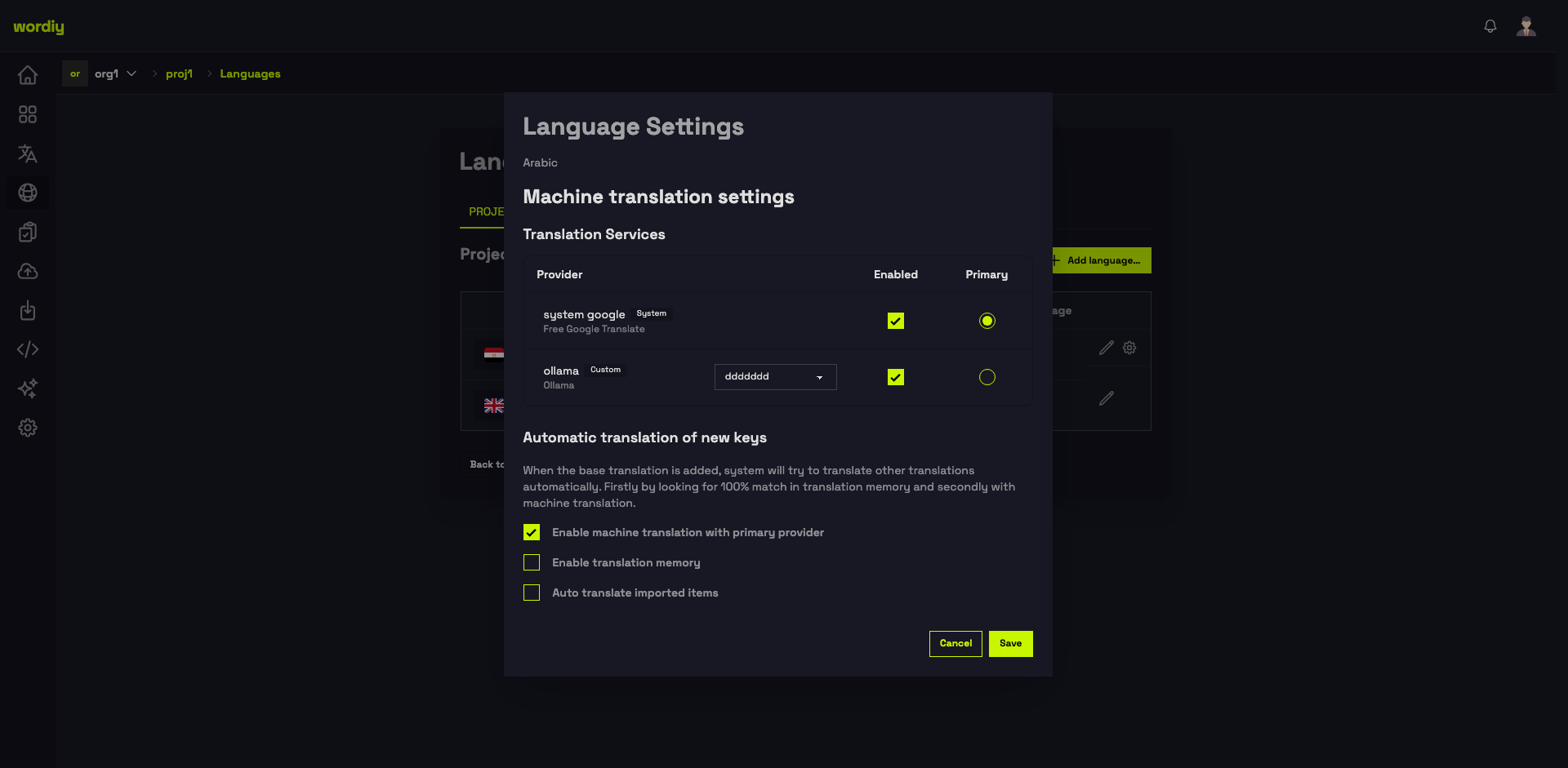
لكل لغة لوح إعدادات لتهيئة موفري الترجمة الآلية وسلوك الأتمتة. انقر أيقونة الإعدادات (⚙) بجوار اللغة لفتحه.
خدمات الترجمة
يسرد جدول خدمات الترجمة جميع موفري الترجمة الآلية المُهيَّئين لمؤسستك. لكل لغة يمكنك:
- مُفعَّل — تبديل تفعيل الموفر لهذه اللغة
- رئيسي — تحديد الموفر المستخدم افتراضيًا عند جلب الاقتراحات
- النموذج — للموفرين المخصصين (مثل Ollama)، اختر النموذج المحدد
الترجمة التلقائية للمفاتيح الجديدة
يتحكم في ما يحدث عند إضافة نص جديد بالتغة الأساسية:
| الخيار | الوصف |
|---|---|
| تفعيل الترجمة الآلية مع الموفر الرئيسي | يترجم المفاتيح الجديدة تلقائيًا باستخدام موفر الترجمة الآلية الرئيسي |
| تفعيل ذاكرة الترجمة | يملأ الترجمات من التطابقات السابقة قبل استدعاء الترجمة الآلية |
| الترجمة التلقائية للعناصر المستوردة | يُشغّل الترجمة التلقائية على النصوص المضافة عبر استيراد الملفات |
انقر حفظ لتطبيق الإعدادات على تلك اللغة.
حذف لغة
- انتقل إلى صفحة اللغات في مشروعك
- انقر أيقونة الإعدادات بجوار اللغة
- استخدم خيار الحذف وأكد الحذف
ملاحظات
- لا يمكن حذف اللغة الأساسية
- حذف لغة يحذف أيضًا جميع الترجمات بتلك اللغة
- يمكنك إضافة اللغة مرة أخرى لاحقًا